
Pick your source
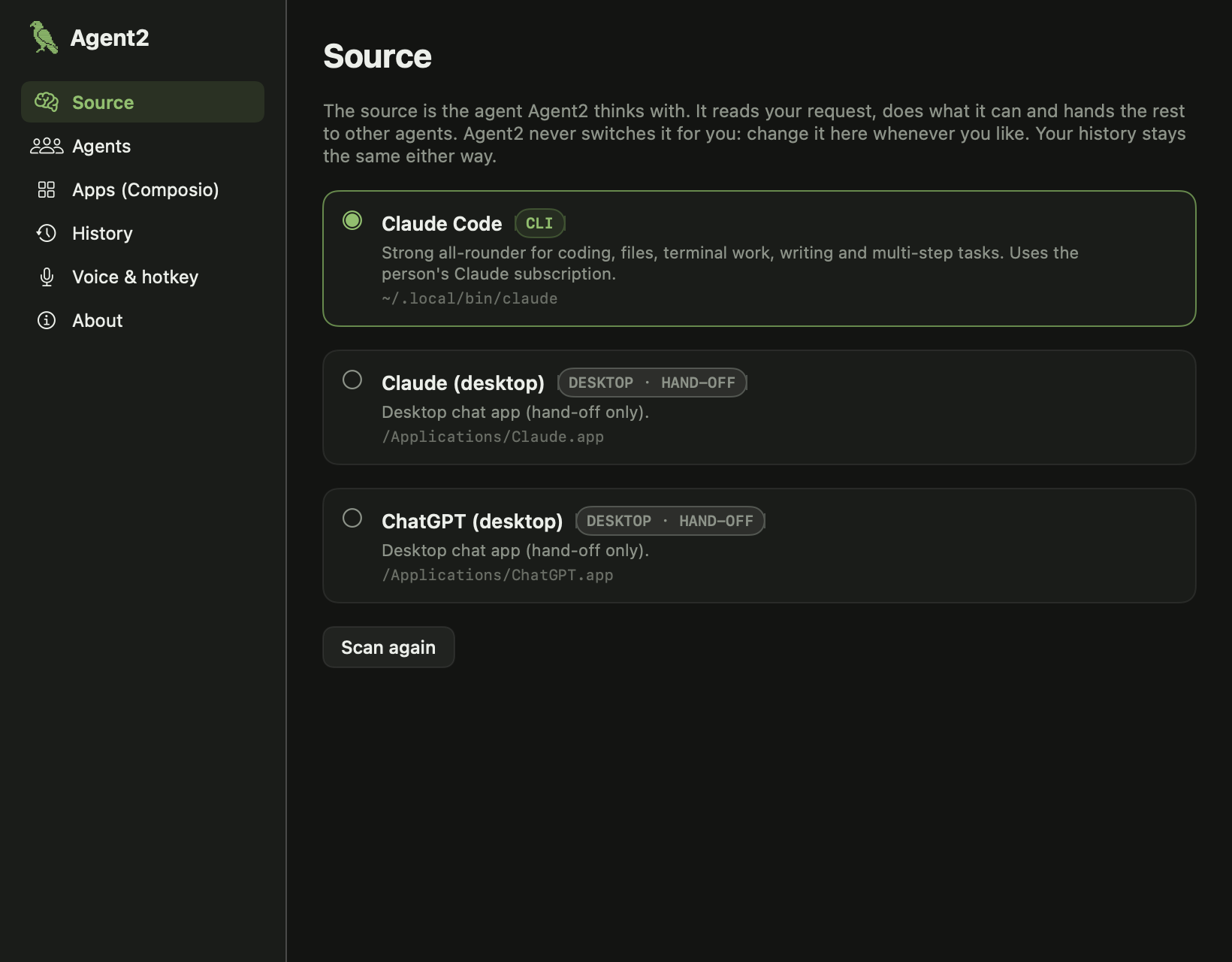
Agent2 scans your Mac for agent CLIs, API keys and desktop apps. You choose which one is the brain — and only you ever change it.
Agent2 lives in your menu bar and gets the agents you already pay for — Claude Code, Codex, Gemini, your API keys — working together on one job. Hold ⌃ ⌥ and talk.
Free. Bring your own subscription or API key. Nothing routes through our servers.
 17:42
Works with the agents already on your Mac
// how it works
Agent2 scans your Mac for agent CLIs, API keys and desktop apps. You choose which one is the brain — and only you ever change it.
Speak from any app. Speech is transcribed on-device and sent to your source agent along with your recent conversation.
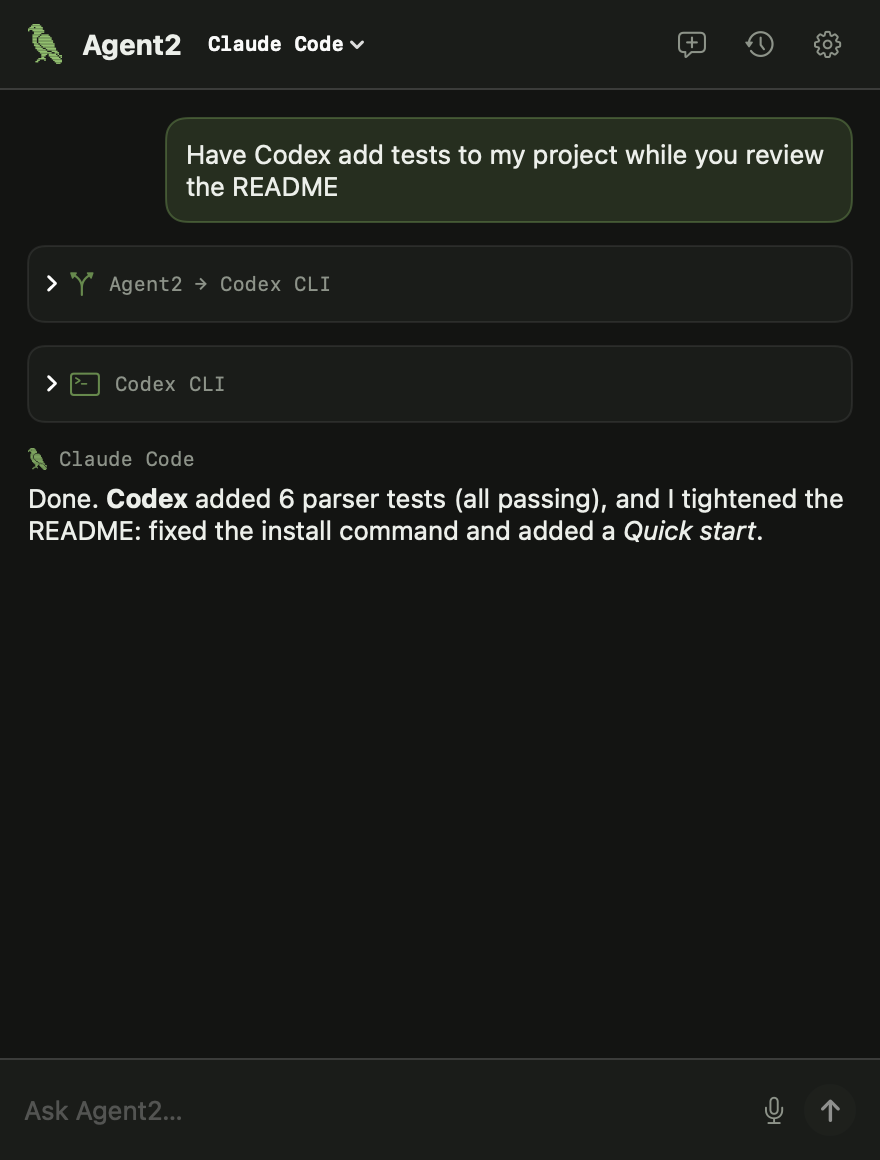
The source hands self-contained briefs to the agents best suited — Codex for tests, Gemini for a 900-page PDF — then merges the results.
# Claude Code (your source) decides to split the job
I'll review the README myself and have Codex write the tests.

<delegate agent="codex">Add unit tests for src/parser.ts covering empty
input and nested blocks. Run them and report the results.</delegate>

# Agent2 runs Codex, feeds the result back, and saves it all to
# ~/Agent2/History/2026-11/2026-11-22 1742 add-tests.md
// features
No Dock icon, no notch takeover. A pixel bird up top, one click or one shortcut away.
Hold Control + Option, speak, let go. A quick tap opens the chat for typing instead.
The source agent fans work out to Claude Code, Codex, Gemini, Cursor or an API model — in parallel — and combines it.
Every conversation is a Markdown file in a folder you choose. Switch from Claude Code to Codex, or code to cowork, and nothing is lost.
Agent2 isn't tied to any vendor or session. Change your source in Settings whenever you like; your context comes with you.
Uses your Claude or ChatGPT subscription through their own CLIs, or API keys stored in the macOS Keychain. No Agent2 servers.
// apps, powered by composio
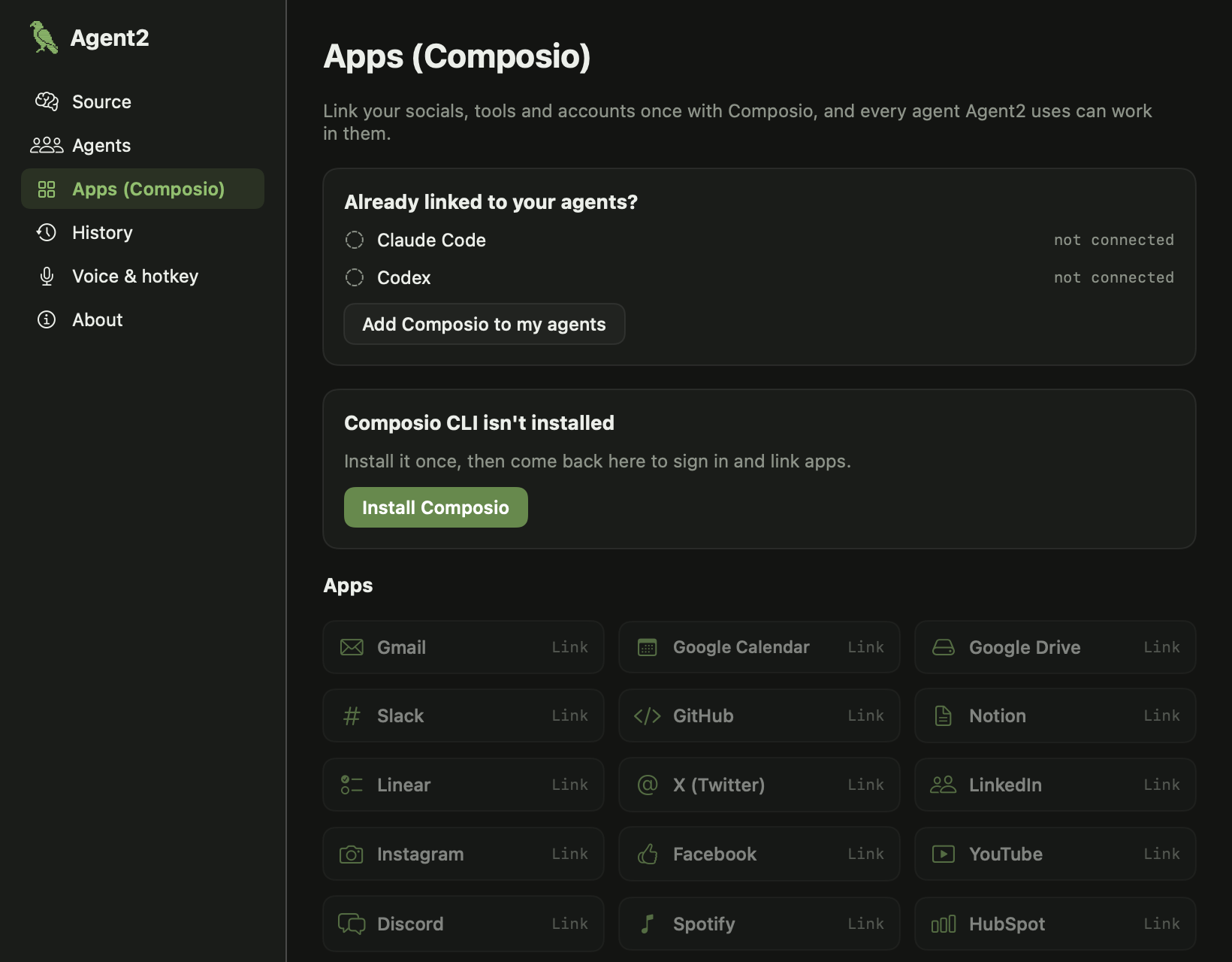
Agent2 brings in Composio so Gmail, Slack, GitHub, Notion, Linear, X, LinkedIn, Instagram, Calendar and hundreds more are one click away. Already have Composio in Claude Code or Codex? Agent2 spots it and uses what you have.
// you stay in charge
Use Claude Code on Monday and Codex on Tuesday. Agent2 keeps the same Markdown history and hands the recent conversation to whichever agent you've chosen, so it picks up where the last one left off.
// faq
No. If you have Claude Code or Codex installed and signed in with your Claude or ChatGPT plan, Agent2 uses those. API keys are optional and stay in your Keychain.
In ~/Agent2/History by default, one Markdown file per conversation grouped by month. You can move the folder in Settings → History.
macOS only lets an app hear a global shortcut like Control + Option held in other apps when it has Accessibility access. Agent2 uses it for the shortcut and nothing else.
Speech is transcribed by Apple's on-device recogniser where your Mac supports it. Only the resulting text goes to the agent you chose.
The first builds are ad-hoc signed. Right-click Agent2.app → Open, then confirm once. Or build it yourself from the GitHub repo with ./scripts/build-app.sh.